January 2022: User Interface Shenanigans
First of all, my apologies for the late blog post this time. I wanted to get all of the UI components done before writing about them so that I could show you guys some footage, and I was frankly getting a bit burned out by the time I finished the final component. But anyway…
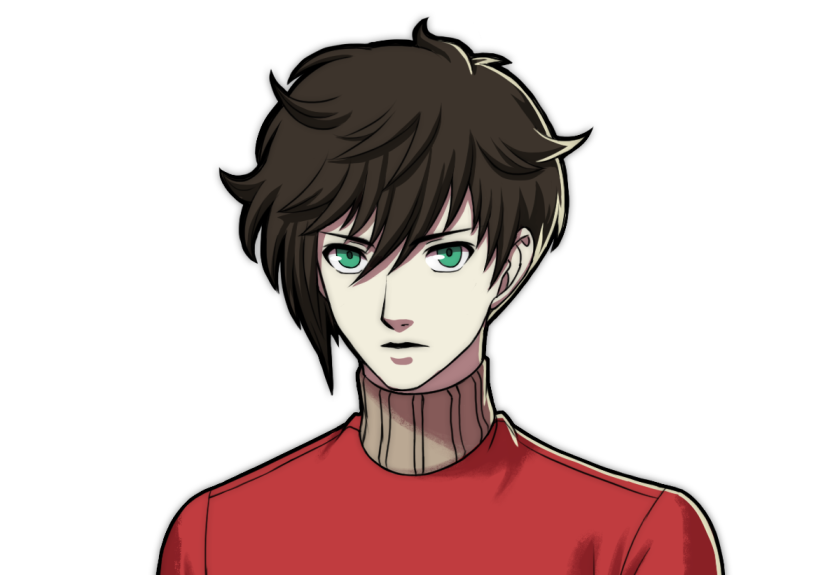
This month, we’ve been working on establishing the sort of coloring style we want to use for our characters. What do you think?
Once we uploaded the tech demo video on the first, I finally put down working on the World Editor for now, and move onto developing a UI solution for NNGINE-L, since we didn’t have one yet. Additionally, I’ve recruited another program whom I’ve been friends with for quite a few years now to help start working on the physics solution we’re going to use for the game. So it’s been quite a productive month!
We’ll dig into the user interface first, and then I’ll also give a small update on the physics system. I’ll also go over what direction we’re headed in a little bit, and give an idea of where we’re going next.
Now, sit down around the campfire kids, I’ll tell you all about how NNGINE got its user interface groove back!
A brief history lesson on NOKORIWARE’s approach to UI over the years:
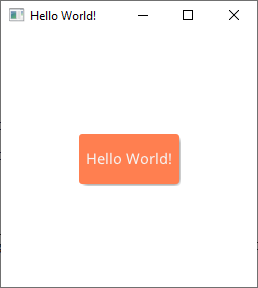
A screenshot from Clear’s Hello World test
Up until now, Robot Farm hasn’t had any UI whatsoever outside of displaying which asset you have selected for placement onto the world. Even that was a recent addition - before I was just displaying what you selected as text in the console.
Our approach has always been to make a general UI solution for our projects that we can reuse and expand as we develop the game. You can see a bit of Robot Farm’s old UI system that was built for the original NNGINE in our old 2D gameplay video. That system had been in place since We Shall Wake, and I built its foundations when I was around 16. While it wasn’t the worst system ever, it was severely limited in how it could look and what it could do. I knew I’d have to find a better solution eventually.
So eventually I made a my own similar UI solution called Clear, which is still open source and available for anyone to use. It used vector graphics for rendering, and I was thinking I could use that for our games. However I found that the API we used for those vector graphics didn’t exactly lend themselves well to NNGINE’s rendering framework, and it was difficult to make the menus as animated as I typically like them to be.
However, this learning experience was crucial, and the code I’d made for the core framework of the system would also come in handy later.
How this all comes together:
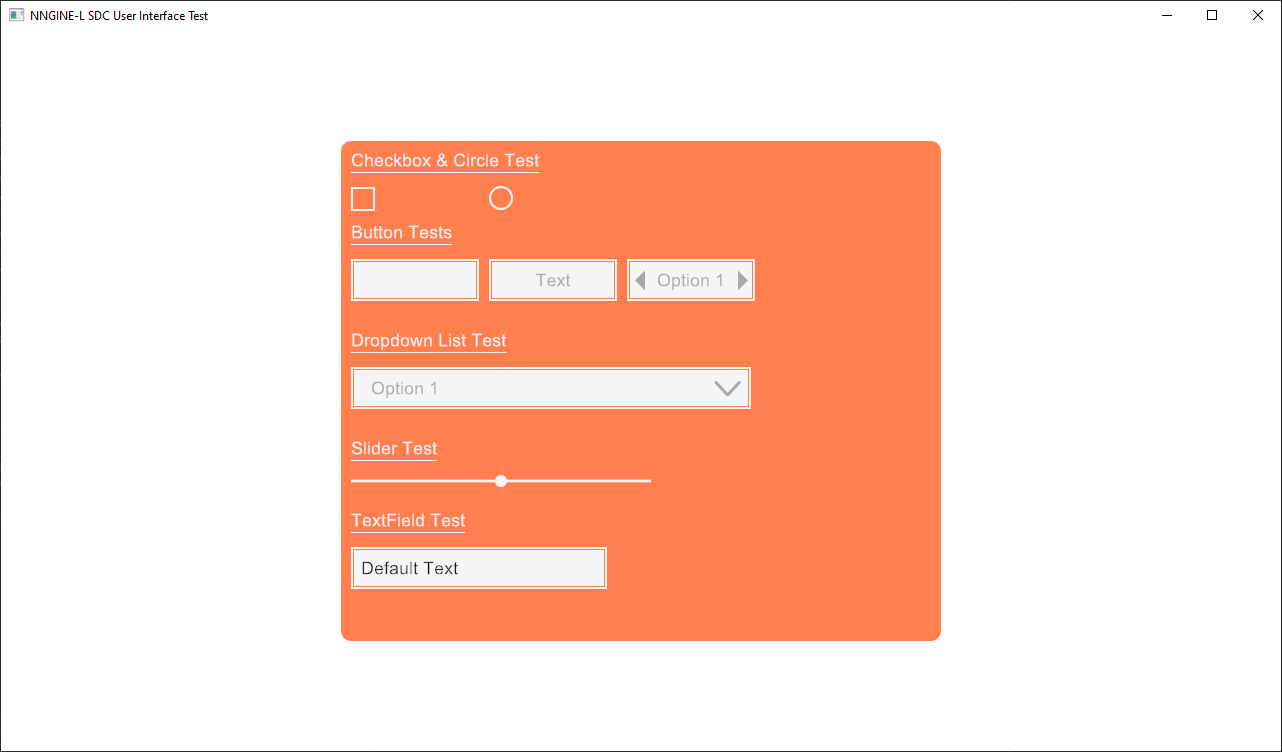
A screenshot of the test program for NNGINE-L’s new UI system
So after our tech demo video was released, we finally finished up SDC (our Single Draw-call rendering system) and I began working on our UI. I ended up copying over Clear’s foundations (as in, the source code of its basic functionality of UI widgets and their architecture) - then I began creating UI components based on a list I made. This list was comprised of all the UI tools that I had needed in Robot Farm and We Shall Wake, along with components that I recalled needing, but couldn’t add due to the limitations of the old system.
I carefully went down the list, making all of these components and making each one highly detailed and heavily customizable. NOKORIWARE always puts an emphasis on making our UIs feel sleek, polished, and smooth - so a lot of time goes into trying to animate every little part of each UI component. Check it out in action:
You’ll also probably notice how similar the new UI system looks to Clear’s - a small homage I want to pay to it. When the system is installed into Robot Farm, its look and feel will likely be heavily modified to match the aesthetic I want RF to have - so it’ll be a testament to how strong the system is.
I’m also thinking of exposing a some of the UI creation systems in our modding tools so that players can make custom UIs, but no promises there yet. It may be something that comes after release in an update.
Now that the UI system is essentially ready to go (albeit there are some features we still need to build in, such as giving it some bloom effects to help make it pop more), I’ll soon begin installing it into Robot Farm. I’ll likely start with giving the World Editor a basic UI so that it’ll be ready for our level designers once we get the physics in.
Speaking of physics…
While I don’t really have any new footage or screenshots of our work on the physics systems to show, I will give a basic update. We brought on a new programmer to help out and I’ve put him in charge of adding collision systems to our worlds. He’s making considerable progress and we should have some stuff to show soon. This is a good thing since after that we’ll be able to start working on the gameplay immediately.
In the meantime I’ll continue building up our UI tools until that’s ready. We’re both pretty well in sync and we’re making progress at a similar pace. So things have been going pretty smoothly for the past month. I’m excited to begin work on gameplay since I’ll be able to begin showing off more of the game as we go.
Before we started on the physics, we also made some adjustments to the World Editor and restructured it considerably. We’ve implemented a new serializer called Kryo that should make loading and updating worlds regardless of how much we update the code pretty simple. What this means is that as soon as I add a decent UI to the World Editor, we can begin having level designers start working on Robot Farm’s map hopefully - or at least their designs.
As we progress through development, more tools will be made via the World Editor to add content and so on. We want the World Editor to be our main mode of building content, that way when we finally release the game, modders will have full access to the same tools we used to make the game - which should give a lot of freedom to make really cool and interesting mods and content.
See you at the end of February!
Alright guys! That about does it for this month. Not much stuff to show off since the majority of our work has been on our tools, but as we go, I’ll be able to start showing more of the game off again as we begin to add gameplay. Gameplay programming is the best part of development, so I can’t wait to show you guys what we come up with!
By the way, my birthday is on the 9th! I can’t believe I’ll be turning 25… to think I started this journey of making video games when I was only 10, and started on We Shall Wake when I was 15 - it’s crazy to think about. I owe it all to you guys and my team for making this all so worth-while. I can’t wait to hopefully deliver you guys a really fun game through Robot Farm!
Making video games is a blessing, because you have the power to give people an unforgettable and enjoyable experience if you do it right. I’m going to do my best to deliver you all something truly magical that you can hold dear to your heart.
Take care you guys. I love each and every one of you!
♥ NOKORIWARE
Stay updated!
Check these out too: